
How to Upgrade a Sur Ron Battery: 2026 Step-by-Step Guide
Learn how to upgrade a Sur Ron battery safely in 2026. Compare 60V vs 72V packs, check controller compatibility, and install with confidence.

Table of Contents
- Step 1: Confirm Your Sur Ron Battery Fitment Before You Buy
- Step 2: Check Sur Ron Controller Upgrade Requirements
- Step 3: Pick Battery Voltage and Capacity (60V vs 72V and Beyond)
- Step 4: Install the Pack and Wiring Harness
- Electric Dirt Bike Battery Safety Tips and Thermal Management
- Long-Term Maintenance, Storage, and Legal Considerations
- Conclusion: Getting Your Sur Ron Battery Upgrade Right the First Time
- Frequently Asked Questions
Last Updated: September 16, 2026
Step 1: Confirm Your Sur Ron Battery Fitment Before You Buy
The single biggest mistake riders make when learning how to upgrade a Sur Ron battery is buying a pack before confirming it physically fits their exact model and year. Sur-Ron changed its battery connector design between model years, and a pack that drops into a 2023 Light Bee may not bolt into a 2024 without an adapter cable.
Fitment comes down to three things: connector type, tray dimensions, and lid clearance.
- Connector type: Early Light Bee models used a dual-connector setup. Newer bikes moved to a single-connection battery. The two are not interchangeable without the correct power cable.
- Tray dimensions: Most high-capacity packs are taller than stock. A pack that adds roughly 2cm of height typically needs a battery lid extender to close cleanly.
- Year-specific cabling: If you are upgrading an older bike to a newer single-connection pack, you need the matching cable, not the one that came with the bike.
This is exactly where RYVOX earns its keep. Before anything ships, the team verifies fitment against your exact model and year, so you are not ordering the wrong harness three times to figure it out.
Step 2: Check Sur Ron Controller Upgrade Requirements
A battery upgrade only delivers its full potential if the controller can handle the voltage and current. This is the step most buyers skip, and it is the one that decides whether you get more torque or just a heavier bike.
Stock controllers are built around the stock pack's voltage and discharge limits. Drop in a higher-voltage pack and the controller may throttle output, throw faults, or refuse to run at all. The controller, motor, and battery form one electric drivetrain; changing one component without checking the others creates a mismatch.
Why the Controller Is the Bottleneck
The controller is the gatekeeper between the pack and the motor. It reads the pack's voltage, converts it to the motor's needs, and limits current to protect the motor and itself. When you install a higher-voltage or higher-current pack, you are asking the controller to operate outside the window it was programmed for. Most stock controllers on the Light Bee and similar models are rated for a specific voltage range and a peak amperage ceiling. Exceed either and the controller's firmware will either clamp output to protect itself or shut down entirely.
A common pattern is a rider installing a 72V pack on a bike with a stock 60V controller. The bike may power on, but it will not reach the speed or torque the pack can deliver because the controller is still limiting current to its original ceiling. In some cases the controller will throw an overvoltage fault and refuse to run. That is not a defective pack; it is a mismatched system.
The Controller Compatibility Matrix
Use this matrix to decide whether your target pack requires a controller upgrade.
| Goal | Minimum Controller Voltage Window | Minimum Peak Amperage | Notes |
|---|---|---|---|
| More range, stock speed | Match stock voltage (typically 60V) | Match stock peak amps | No controller change needed if pack voltage equals stock |
| More top speed | Must equal or exceed pack voltage (e.g., 72V controller for 72V pack) | At least the pack's continuous discharge rating | Controller must be reprogrammed or replaced for higher voltage |
| More torque | Match stock voltage or higher | Must exceed stock peak amps to pass the pack's current | Controller and motor both need to handle the higher current |
| Full build | Match target pack voltage | Match target pack peak current | Plan battery, controller, and motor as one system |
If you are unsure whether your controller can handle a given pack, check the controller's label or manual for its rated voltage and current. If you cannot find that information, assume the controller is matched to the stock pack and plan for an upgrade.
Step 3: Pick Battery Voltage and Capacity (60V vs 72V and Beyond)
Voltage sets the ceiling on top speed and torque; amp-hours set how long you can ride. Choosing between 60V and 72V is really a question about what you want the bike to do, not which number sounds bigger.
Reading the Spec Sheet: Amp-Hours, Discharge Rate, and Peak Power
Amp-hours (Ah) measure capacity, which translates to range. Discharge rate (C-rating) measures how fast the pack can safely release energy, which translates to power delivery and acceleration.
Step 4: Install the Pack and Wiring Harness
Installation is where a good upgrade becomes a great one. The pack itself is only half the job; the wiring harness and connectors carry every amp the pack produces, and undersized or mismatched hardware is the most common cause of failures after an upgrade.
DHS 88V 40Ah Battery — RS50 Cells →
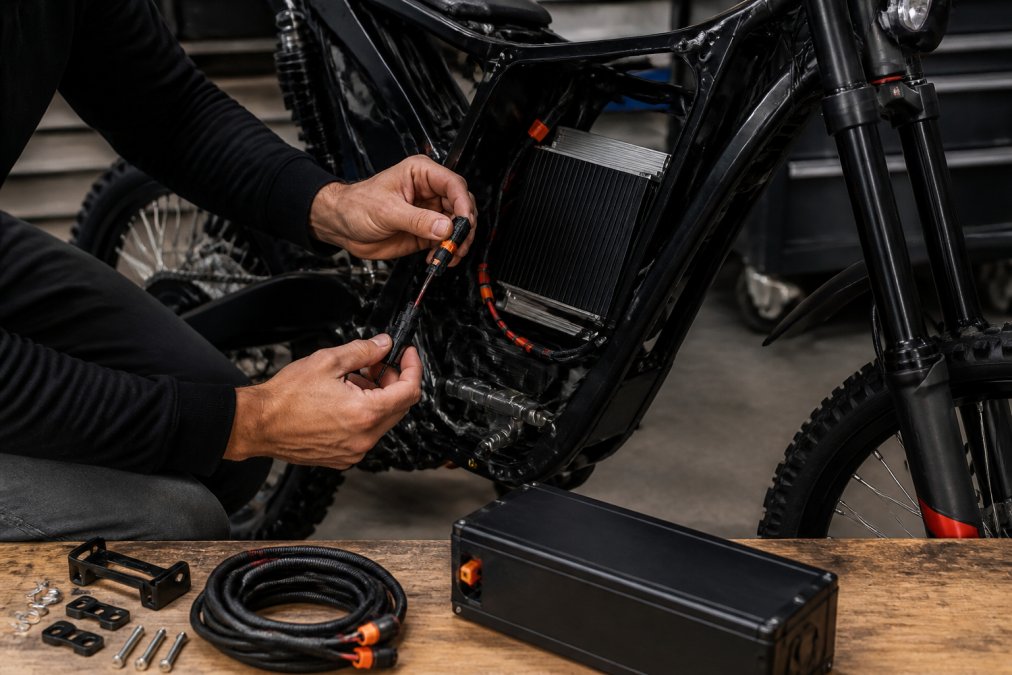
Work through it in order:
- Disconnect the stock pack and let the system sit before touching terminals.
- Remove the old battery and tray hardware, keeping bolts and brackets organized.
- Test-fit the new pack before final mounting to confirm clearance and lid fitment.
- Install the correct harness. A high-power QS8 loom bypasses the breaker and converts the bike to a QS8 battery connection. This is only compatible with a QS8 battery, so match it to your pack.
- Route and secure cables away from moving parts and heat sources.
- Torque connections to spec and confirm no exposed conductors.
- Reconnect and power up on a stand before your first ride.
Electric Dirt Bike Battery Safety Tips and Thermal Management
Lithium-ion packs are safe when the supporting systems work and dangerous when they are bypassed. The pack's BMS, or battery management system, is the component that keeps it that way.
Practical safety rules for any upgrade:
- Never charge a damaged or swollen pack.
- Use a charger matched to the pack's voltage and current limits.
- Let the pack cool before charging after a hard ride.
- Inspect connectors for heat discoloration, which signals resistance.
- Store the pack at a moderate state of charge, not full and not empty.
Long-Term Maintenance, Storage, and Legal Considerations
A well-maintained pack lasts years; a neglected one degrades fast. Cycle life is the number of full charge-discharge cycles a pack delivers before capacity drops meaningfully, and how you treat the pack between rides determines how close you get to the rated figure.
Storage That Protects Cell Health
Storage matters more than most riders expect. Leaving a pack at full charge or fully drained for weeks accelerates capacity loss. The sweet spot for long-term storage is a moderate state of charge, typically around 50% to 60% of full capacity. Most manufacturers ship packs at this level for exactly that reason.
Other maintenance habits that extend pack life:
- Check mounting hardware periodically. Vibration loosens bolts that hold a heavy pack in place, and a shifting pack can stress connectors.
- Inspect connectors for heat discoloration, which signals resistance and a potential failure point.
- Keep the pack clean and dry. Moisture around terminals invites corrosion.
- Avoid leaving the pack at 100% for days. Charge to full just before a ride when possible.
Legal and Insurance Implications of a Power Upgrade
Then there is the part nobody likes to think about: legal and insurance implications. Many trails and public lands restrict where electric dirt bikes can legally ride, and a modified bike may fall outside a policy's terms if the modification changes its classification or power output.
Conclusion: Getting Your Sur Ron Battery Upgrade Right the First Time
Getting a Sur Ron battery upgrade right comes down to matching components before you buy, not fixing mismatches after. Confirm fitment, verify your controller's voltage and current limits, choose a pack that fits your goals, and install it with the correct harness.
Frequently Asked Questions
Do I need a new controller when upgrading my Sur Ron battery?
Not always, but you must check voltage and amperage ratings. A stock controller is built around the original pack's voltage and current limits. If your new Sur Ron battery runs higher voltage or pushes more peak current than the controller can handle, you risk overheating or failure. Confirm the controller's rated voltage range, continuous and peak amperage, and connector type before installing. Many riders pair a higher-voltage pack with an upgraded controller for exactly this reason.
Is a 72V battery upgrade worth it for a Sur Ron?
It depends on what you want. Moving from a stock pack to a higher-voltage lithium-ion pack raises available power and can improve top speed and torque, but it also stresses the controller, wiring, and connectors. You'll need to verify your controller's voltage ceiling, upgrade your harness if the connector changes, and confirm the pack physically fits with a battery lid extender where required. If you mostly ride trails at moderate speeds, the gain may not justify the cost.
What are the risks of installing an aftermarket battery on a Sur Ron?
The main risks are incorrect fitment, mismatched connectors, and pushing more current through a controller or wiring harness than it was rated for. Cheap packs without proper BMS features like over-discharge protection, short circuit protection, and cell balancing can also fail early. Thermal runaway is rare but serious, so buy from a seller who verifies fitment against your exact model and year and stands behind the warranty.
Does upgrading the battery void the manufacturer warranty?
In most cases, installing an aftermarket battery or cutting into the factory wiring can void the portion of your warranty covering the electrical system. Policies vary by manufacturer and dealer, so read your warranty terms before you start. Keep your original pack and cables if you might want to revert. Buying genuine parts from an authorized dealer and having the work done professionally can also reduce disputes if something fails later.